Every result
keeps its thread.
ResearchOS is a reproducibility-first research workbench: experiments, logbook, todos, agenda, references, and papers in one place — stored on your machine, in open formats, with end-to-end encrypted sync through a server you can host yourself.
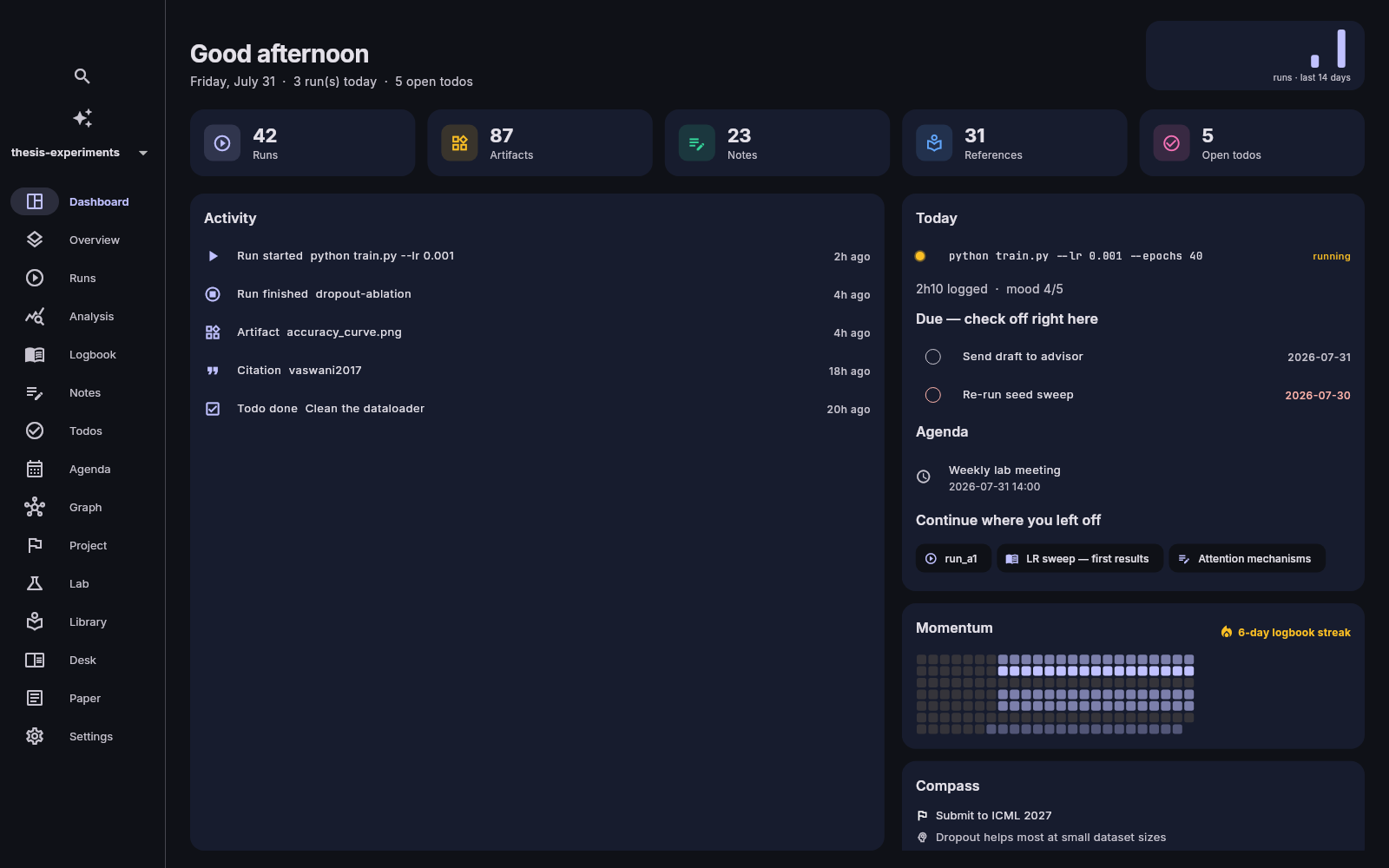
Figure → exact recipe → re-run
Every experiment is captured automatically: command, parameters, seed, code version, environment, outputs. Months later, any figure traces back to the exact recipe that produced it — and replays with one command.
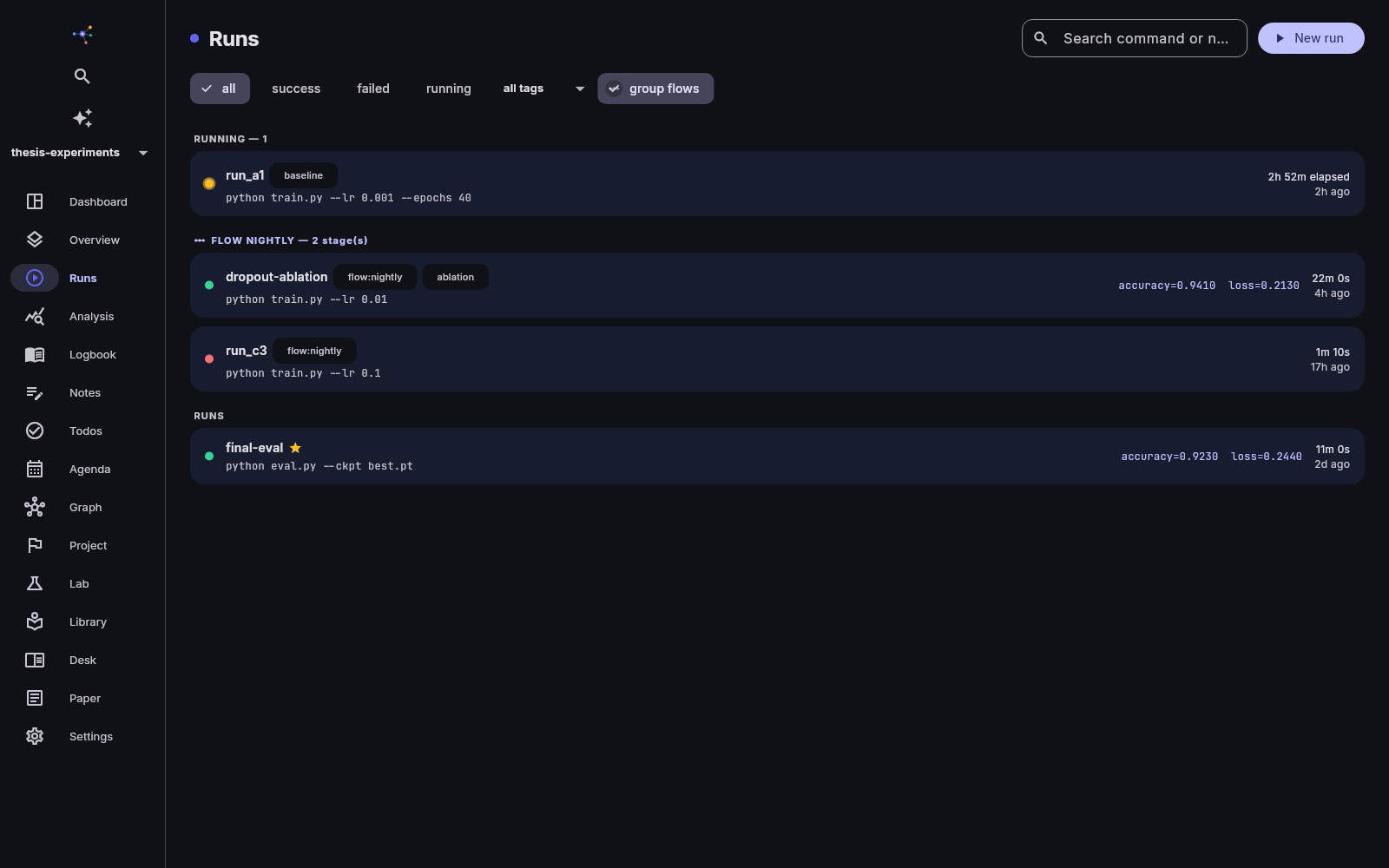
Runs, captured — not documented
Launch from the app or ros run — shell commands
and Jupyter notebooks alike. Logs stream
live, metrics chart themselves as they arrive, and everything
your script writes becomes a content-addressed artifact.
- Live logs & streaming metric charts
- Git commit, seed and environment recorded
- Re-run with edited parameters, diff any two runs
- Replayable repro packs for reviewers
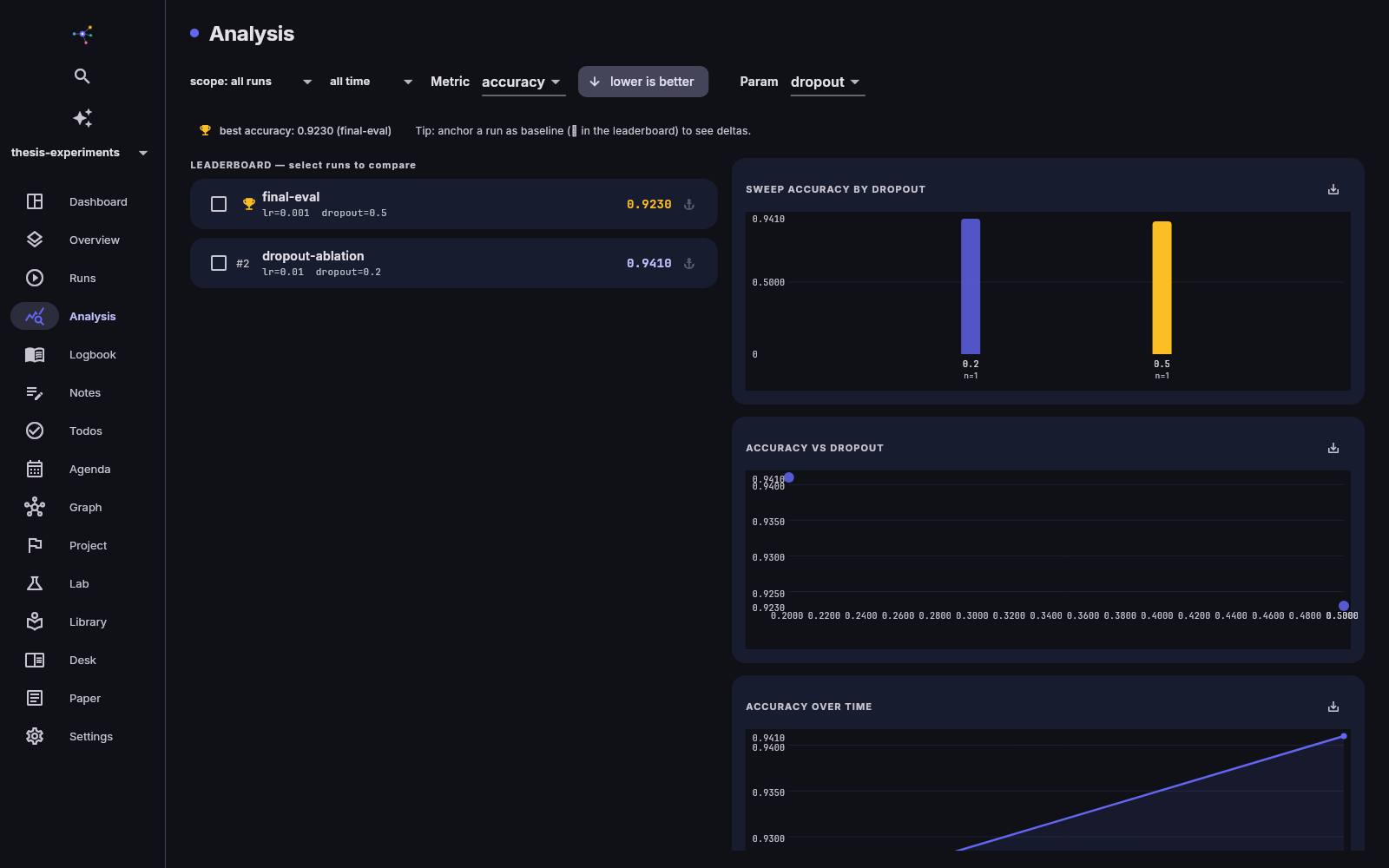
Analysis you can defend
Leaderboards with a baseline anchor, parameter sweeps, run
comparisons. Export any chart as a figure that carries its
provenance hash — if a source run ever changes,
ros paper check tells you before your reviewers
do.
- Baseline anchoring & regression alerts
- Parameter sweep charts, metric-over-time
- Figures that know which runs made them
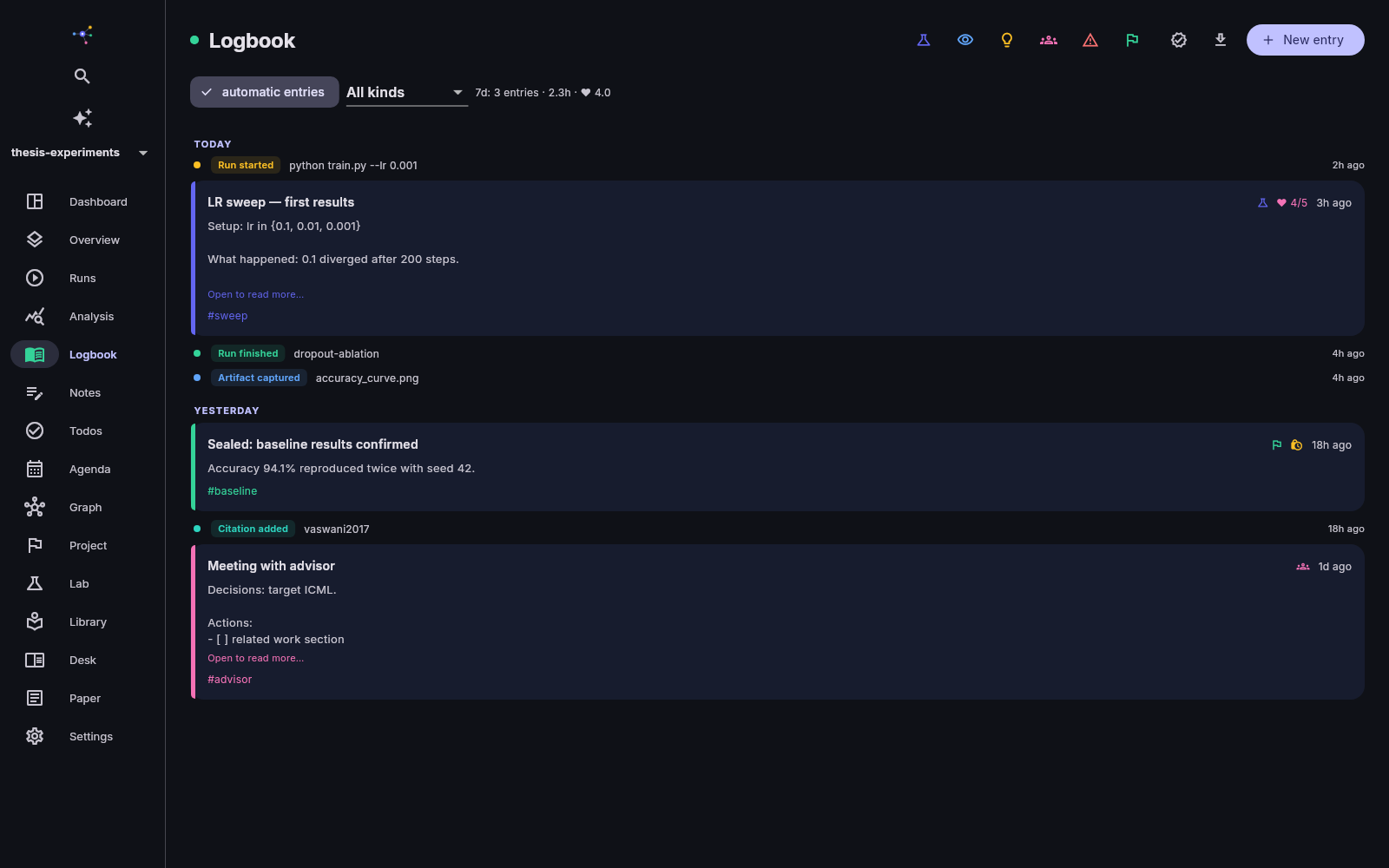
A logbook that can testify
One-tap typed entries — experiment, observation, idea, failure, milestone — with templates, mood, and time spent. Seal an entry to freeze it in a SHA-256 hash chain: tamper-evident proof of what was recorded, and when.
- Kind templates, weekly stats, streaks
- Automatic entries from your runs
- Cryptographic sealing for results that matter
The whole research day, one place
Not another silo — the pieces reinforce each other: a run links to the log entry that interpreted it, which cites the paper that inspired it, which feeds the draft that reports it.
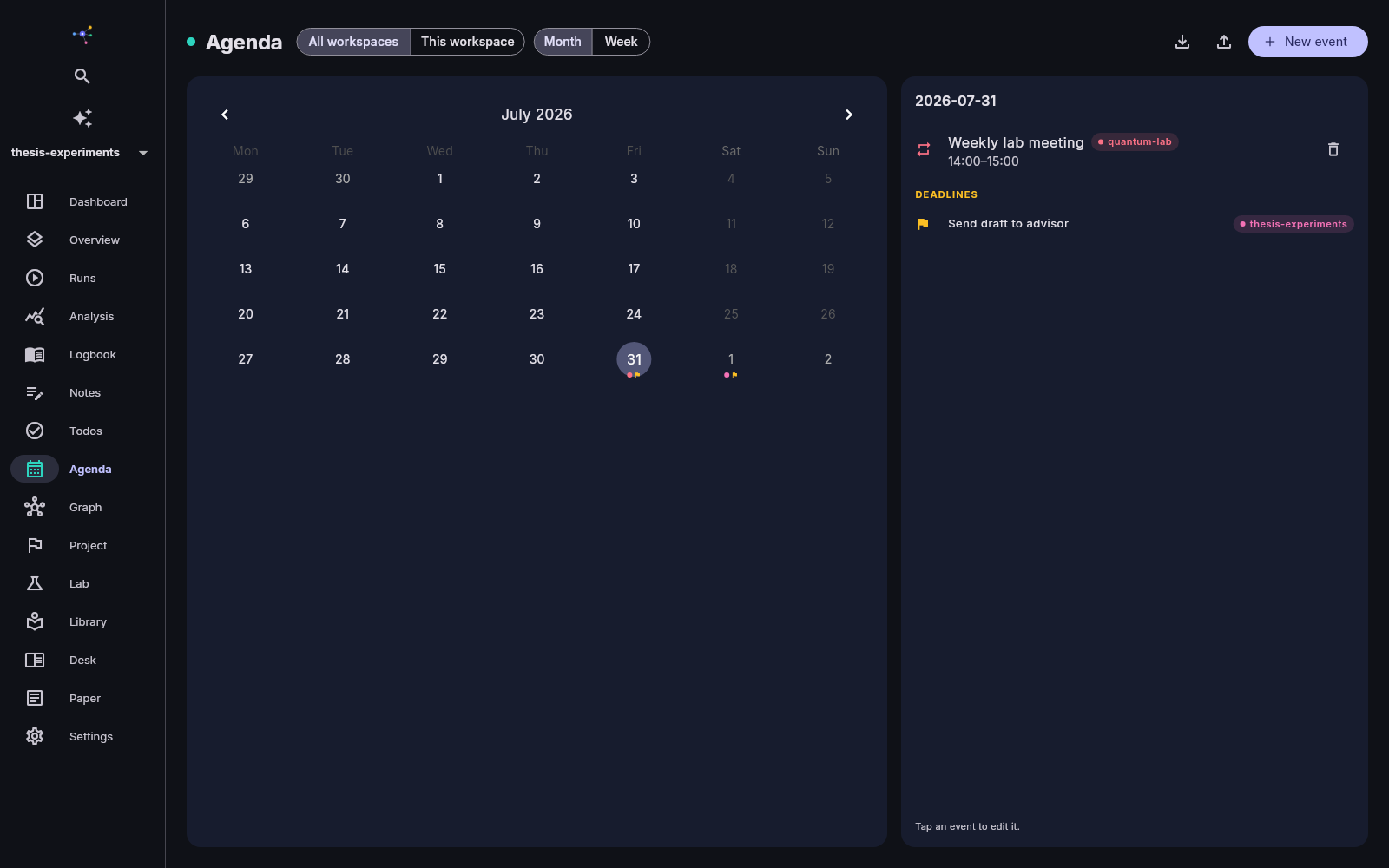
Todos & agenda, across projects
Type ! review draft tomorrow — filed with
priority and date. Recurring tasks, subtasks, a real calendar
with deadline flags, across all workspaces: your
Tuesday only exists once.
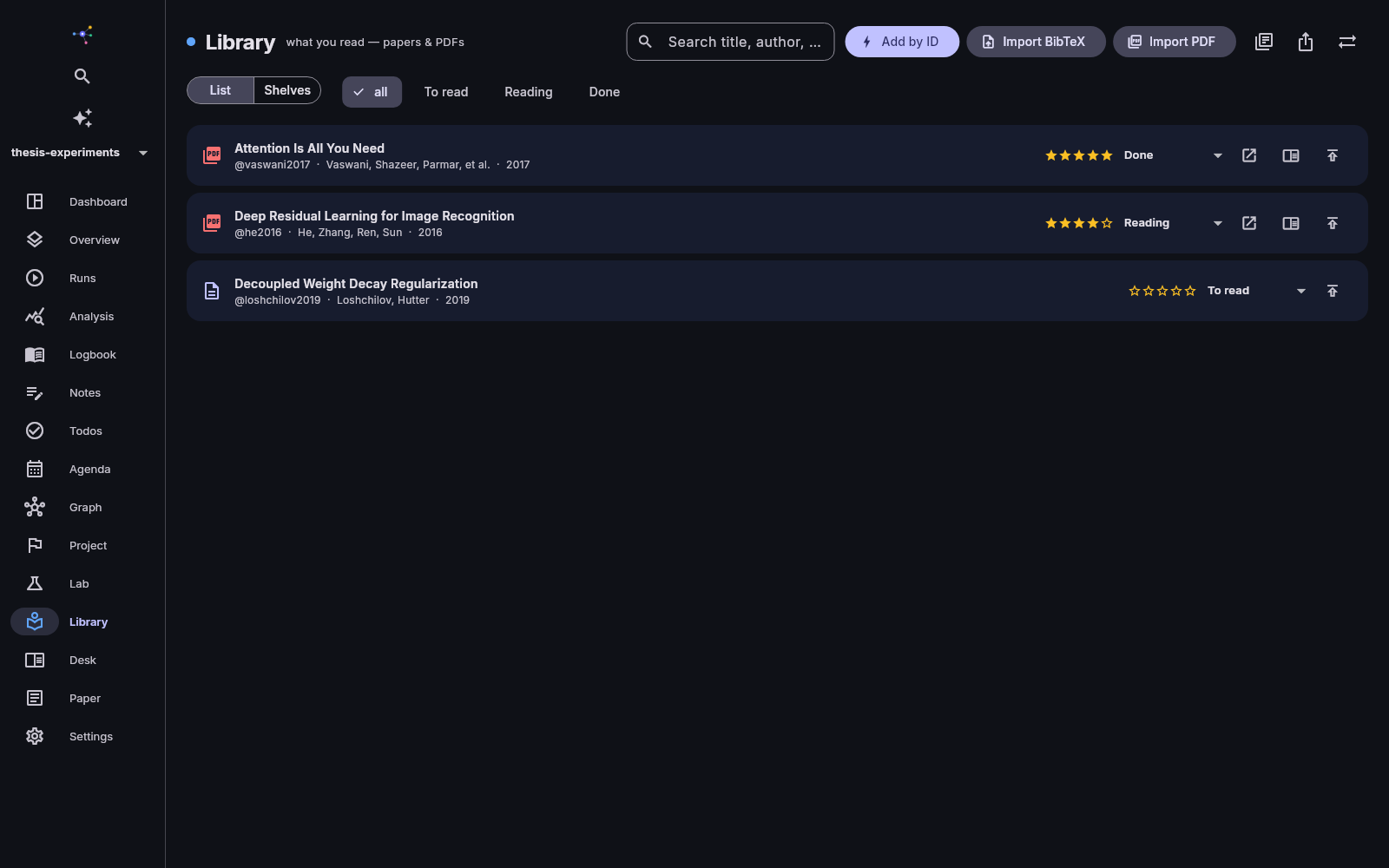
Library & reading desk
Add papers by DOI or arXiv ID, import BibTeX or Zotero. Read PDFs in-app, highlight, and turn passages into notes that stay linked to their source.
The compass
Goals, hypotheses and decisions as first-class objects. Attach runs as evidence — supporting or contradicting — and watch a hypothesis flip to rejected with receipts.
The knowledge graph
Wiki-links between notes, runs tied to entries, evidence to hypotheses: the graph view shows your project as the connected thing it actually is.
Papers with receipts
Markdown with citation autocomplete from your own library, outline navigation, snapshots with diffs, and PDF/DOCX export.
Labs, privacy intact
Encrypted shared spaces for teams: chat, direct messages, share requests, and publishing selected elements. Your own workspaces stay private — sharing is explicit, never ambient, and even the lab can't read your DMs.
Your research, pocket-sized
The Android companion mirrors your workspaces: check off due todos, capture observations as they happen, watch running experiments, read your PDFs — offline-first, merging cleanly when you're back. Multiple workspaces, one tap apart.
Your server. Your keys. Ciphertext only.
Sync is optional, end-to-end encrypted, and self-hostable. The server — even your own — only ever stores ciphertext.
Free for every researcher. Paid for continuity and teams.
The complete desktop app is free forever — local-first, open formats, nothing removed. Pro (7 €/mo) adds the full mobile companion, 20 GB of encrypted sync, hosted AI, and a Duo space for up to three people — you and a supervisor, or your co-authors. Lab (on quote) adds the organization layer: teams, a member directory, lab-wide messaging, and metadata-only governance. During the beta everything is free, and beta testers keep 12 months of Pro.
Testing now, with researchers like you
ResearchOS is in private beta on Linux, Windows, and Android;
macOS and iOS are in preparation. You get the desktop app, the
mobile companion, the ros CLI, and an invite to a
hosted sync server — or instructions to run your own with
Docker.